
What are the best practices for error page design in 2026?
April 27, 2026
What Are the Best Web Design Tools for 2026? A Complete Guide
April 27, 2026How Can I Design a Website That Is Easy to Update? A Complete Guide
Introduction
In today’s fast-paced digital landscape, having a website that is easy to update is essential for businesses, bloggers, and organizations. Whether you need to add new blog posts, update product information, or change images, a website that is easy to update saves time, reduces frustration, and keeps your content fresh. But how can I design a website that is easy to update? This comprehensive guide will walk you through the key principles, tools, and strategies to create a site that is both user-friendly and maintainable.
Why Is an Easy-to-Update Website Important?
Before diving into the how, let’s consider the why. A website that is easy to update offers several benefits:
- Time Efficiency: You can make changes quickly without relying on a developer.
- Fresh Content: Regular updates improve SEO and keep visitors engaged.
- Cost Savings: Reduce ongoing maintenance costs by handling updates yourself.
- Flexibility: Adapt to market changes or seasonal promotions with ease.
Key Principles for Designing an Easy-to-Update Website
When considering how can I design a website that is easy to update, start with these foundational principles:
1. Choose the Right Content Management System (CMS)
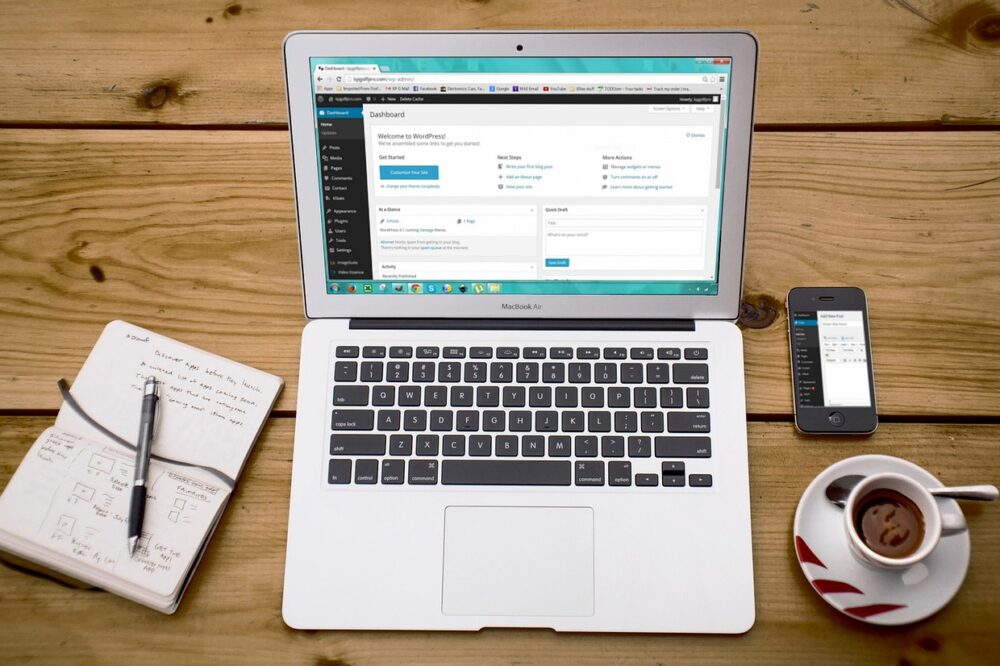
A CMS is the backbone of your website. It allows you to manage content without coding. Popular options include WordPress, Joomla, and Drupal. For most users, WordPress is the best choice due to its intuitive interface, extensive plugin ecosystem, and large community support. When selecting a CMS, consider:
- Ease of use for non-technical users
- Availability of themes and plugins
- Scalability and security features
2. Use a Modular Design Approach
Modular design means building your site with reusable components. Instead of creating each page from scratch, you use pre-built blocks (like hero sections, testimonials, or call-to-action boxes) that can be rearranged and updated independently. This approach makes it easy to update specific parts of your site without affecting the rest.
3. Implement a Page Builder
Page builders like Elementor, Beaver Builder, or WPBakery allow you to create and edit pages visually using drag-and-drop interfaces. They are excellent for users who want to design a website that is easy to update without touching code. Look for a page builder that offers:
- Live front-end editing
- Pre-designed templates
- Responsive design controls
4. Keep Your Design Simple and Consistent
A cluttered design is hard to maintain. Stick to a clean layout with consistent typography, colors, and spacing. Use a style guide to ensure all content follows the same rules. This simplicity makes updates faster and reduces the chance of errors.
Practical Steps to Design an Easy-to-Update Website
Now that you understand the principles, here are actionable steps to implement them.
Step 1: Plan Your Content Structure
Before building, map out your site’s architecture. Define categories, tags, and custom post types (if using WordPress). For example, if you run a recipe blog, create custom fields for ingredients and cooking time. This structured approach makes it easy to add new recipes consistently.
Step 2: Choose a Flexible Theme
Select a theme that is lightweight, customizable, and compatible with popular page builders. Many themes offer built-in options for colors, fonts, and layouts. Avoid themes with excessive hard-coded content, as they are harder to update.
Step 3: Use Custom Fields and Templates
Custom fields allow you to add specific data (like prices, dates, or ratings) to posts or pages. Combined with custom templates, you can display this data automatically. For instance, a real estate site can use custom fields for property details and a template to display them uniformly.
Step 4: Leverage Menus and Widgets
Most CMS platforms allow you to manage menus and widgets from the admin panel. Use these to update navigation, sidebars, and footers. For example, you can add a new page to the menu in seconds without touching code.
Step 5: Automate Updates with Plugins
Plugins can simplify many tasks. For instance:
- SEO Plugins: Yoast SEO or Rank Math help optimize content.
- Backup Plugins: UpdraftPlus automates backups.
- Form Plugins: Contact Form 7 or Gravity Forms make form management easy.
Best Practices for Ongoing Maintenance
Designing a website that is easy to update is only half the battle. Follow these best practices to keep your site running smoothly.
Regularly Update Your CMS and Plugins
Outdated software can lead to security vulnerabilities and compatibility issues. Enable automatic updates or set a schedule to check for updates weekly.
Use a Staging Environment
Before making major changes, test them on a staging site. This prevents breaking your live site and allows you to preview updates.
Train Your Team
If multiple people will update the site, provide training on the CMS and content guidelines. Create a simple manual with screenshots to answer common questions.
Monitor Performance
Use tools like Google PageSpeed Insights to ensure your updates don’t slow down the site. Optimize images and minify code when necessary.
Common Mistakes to Avoid
When learning how can I design a website that is easy to update, avoid these pitfalls:
- Overcomplicating the Design: Too many custom elements can make updates difficult.
- Ignoring Mobile Responsiveness: Ensure your site looks good on all devices.
- Skipping Documentation: Document your site’s structure and customizations for future reference.
- Not Testing Updates: Always preview changes before publishing.
Tools and Resources
Here are some tools that can help you design a website that is easy to update:
- WordPress: The most popular CMS with a vast library of themes and plugins.
- Elementor: A powerful page builder with drag-and-drop functionality.
- Advanced Custom Fields: A plugin for creating custom fields and meta boxes.
- WP Rocket: A caching plugin to improve site speed.
Conclusion
Designing a website that is easy to update is not just about choosing the right tools; it’s about adopting a mindset of simplicity and flexibility. By selecting a user-friendly CMS, using modular design, and following best practices, you can create a site that you can manage with confidence. Remember, the goal is to spend less time on maintenance and more time on growing your online presence. So, if you’ve been wondering, “How can I design a website that is easy to update?” use this guide as your roadmap. Start implementing these strategies today, and enjoy a website that works for you, not the other way around.