How to Use Gradient Colors Effectively in 2026 Web Design: A Complete Guide
April 29, 2026
How to Do SEO for a Melbourne Photographer: A Complete Guide
April 29, 2026How to Use Gradient Colors Effectively in 2026 Web Design
Introduction
Gradient colors have become a staple in modern web design, offering depth, movement, and a sense of modernity. As we approach 2026, the use of gradients is evolving beyond simple linear blends into more sophisticated, dynamic, and accessible applications. This comprehensive guide will teach you how to use gradient colors effectively in 2026 web design, covering the latest trends, best practices, and practical implementation tips. Whether you’re a seasoned designer or a beginner, you’ll learn how to leverage gradients to enhance user experience and visual appeal without sacrificing performance or accessibility.
Why Gradients Matter in 2026 Web Design
Gradients are more than just a decorative trend; they serve multiple functional purposes in web design. They can guide the user’s eye, create visual hierarchy, and evoke specific emotions. In 2026, gradients are being used in innovative ways, from subtle background textures to bold, interactive elements. Understanding how to use gradient colors effectively in 2026 web design means recognizing their potential to improve branding, readability, and overall aesthetics.
Benefits of Using Gradients
- Visual Depth: Gradients add a third dimension to flat designs, making elements pop.
- Brand Identity: Custom gradients can become a signature part of your brand’s visual language.
- User Engagement: Dynamic gradients (e.g., animated or interactive) capture attention and encourage exploration.
- Accessibility: When used correctly, gradients can improve contrast and readability.
Top Gradient Trends for 2026
To stay ahead, it’s crucial to know the emerging trends. Here are the top gradient styles you’ll see in 2026:
1. Soft Pastel Gradients
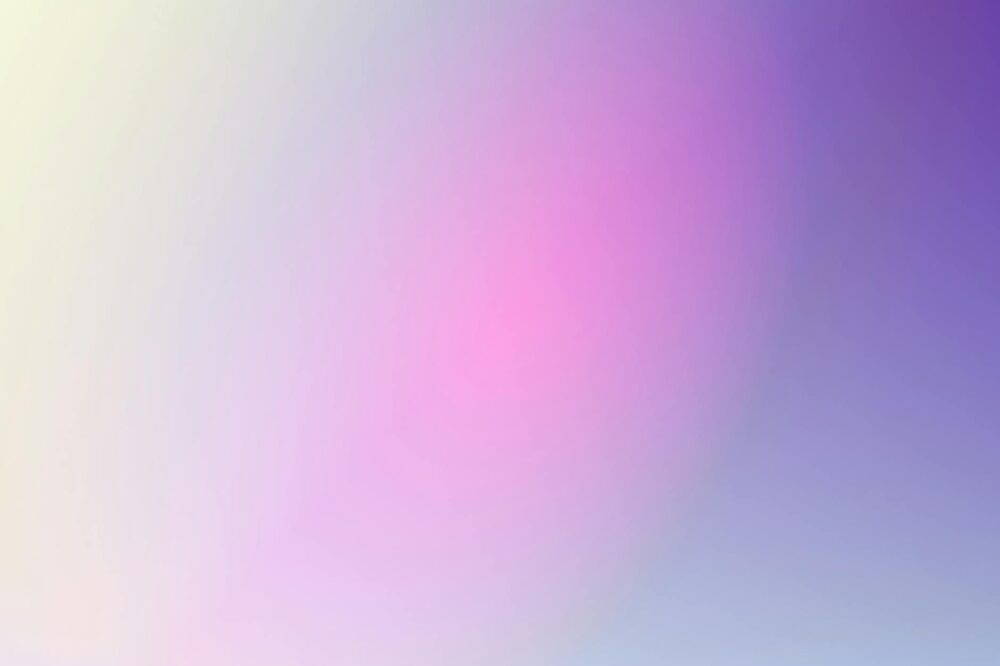
Soft, muted pastel gradients continue to dominate, offering a calm and approachable feel. They are perfect for wellness, lifestyle, and creative brands. These gradients often blend two or three pastel hues with low saturation, creating a gentle visual experience.
2. Bold and Vibrant Duotones
Duotone gradients, which use two contrasting colors, are making a strong comeback. In 2026, expect high-contrast duotones with neon accents, especially in hero sections and call-to-action buttons. They create a striking, modern look that stands out.
3. Mesh Gradients
Mesh gradients involve multiple color points that blend organically, creating a fluid, organic texture. This trend mimics natural color transitions and adds a tactile quality to digital designs. They are often used as full-page backgrounds or in large imagery.
4. Animated and Interactive Gradients
With advancements in CSS and WebGL, animated gradients are becoming more common. These can shift colors over time, respond to mouse movements, or change based on user interactions. Animated gradients add a layer of sophistication and delight.
5. Glassmorphism with Gradients
Glassmorphism, the frosted glass effect, often incorporates gradients to simulate light refraction. In 2026, we see gradients used as the backdrop for glassmorphic elements, enhancing the translucent effect and adding depth.
How to Choose the Right Gradient Colors
Selecting the right colors is critical for effective gradient use. Here are guidelines to ensure your gradients are both beautiful and functional.
Understand Color Theory
Start with a solid understanding of color theory. Complementary colors (opposite on the color wheel) create high contrast and energy. Analogous colors (neighbors on the wheel) produce harmonious and soothing gradients. Triadic schemes offer balanced vibrancy.
Consider Brand Colors
Your gradient should align with your brand palette. If your brand uses blue and green, a gradient that blends these colors reinforces brand identity. Avoid straying too far from your core colors to maintain consistency.
Test for Contrast and Readability
Gradients can affect text readability. Ensure that any text overlaid on a gradient has sufficient contrast. Use tools like WebAIM’s contrast checker to verify WCAG compliance. For text-heavy sections, consider using a solid color overlay or a subtle gradient that doesn’t interfere with legibility.
Use Color Psychology
Colors evoke emotions. Blue gradients convey trust and calm, red gradients signal urgency or passion, and green gradients suggest growth and nature. Choose colors that match the emotional tone of your website.
Best Practices for Implementing Gradients
Knowing how to use gradient colors effectively in 2026 web design also involves proper implementation. Follow these best practices to ensure your gradients enhance rather than hinder the user experience.
Keep It Subtle
Unless you’re aiming for a bold statement, subtle gradients often work best. Use low opacity or slight color variations to add depth without overwhelming the design. Overly bright or complex gradients can be distracting.
Use Gradients to Guide the Eye
Gradients can be directional. A gradient that goes from light to dark can draw attention to a focal point. Use this to highlight important elements like calls-to-action, headlines, or product images.
Optimize Performance
Large gradient images can slow down page load times. Use CSS gradients whenever possible, as they are vector-based and scale without quality loss. For complex gradients, consider using SVG or optimized image formats like WebP. Also, avoid animating gradients on every page element to prevent performance hits.
Ensure Accessibility
Gradients can pose challenges for users with visual impairments. Always provide sufficient contrast, avoid using color alone to convey information, and test with screen readers. Use ARIA labels if necessary.
Responsive Design
Gradients should adapt to different screen sizes. Test your gradients on mobile devices, as the same gradient may appear differently on a small screen. Consider using media queries to adjust gradient angles or colors for optimal display.
Practical Examples of Gradient Usage
Let’s explore real-world applications of gradients in 2026 web design.
Hero Sections
Full-screen hero sections with gradient backgrounds are popular. Use a mesh gradient or a duotone to create an immersive entry point. Overlay a bold headline and a subtle call-to-action button. For example, a travel website might use a sunset gradient (orange to pink) to evoke wanderlust.
Buttons and Interactive Elements
Gradient buttons are effective for CTAs. A bright gradient (e.g., purple to blue) on a button can make it stand out. Add a hover effect that shifts the gradient slightly to provide feedback. Ensure the button text has high contrast against the gradient.
Backgrounds and Textures
Use gradients as background textures instead of solid colors. A subtle linear gradient from top to bottom can add depth to a page without distracting from content. For a more dynamic look, try a radial gradient centered on the main content area.
Data Visualization
Gradients can enhance charts and graphs. For example, a heat map can use a gradient from blue (low) to red (high) to represent data intensity. This makes data more intuitive and visually appealing.
Typography
Gradient text is a trend, but use it sparingly. Apply a gradient to a headline or logo to make it pop. Ensure the gradient doesn’t reduce readability—use high-contrast colors and avoid thin font weights.
Tools and Resources for Creating Gradients
Several tools can help you design and implement gradients effortlessly.
- CSS Gradient Generator: Online tools like CSS Gradient allow you to create custom gradients and generate the CSS code instantly.
- Figma/Adobe XD: Design tools offer gradient controls with multiple stops and blend modes.
- Gradient Hunt: A curated collection of beautiful gradients for inspiration.
- WebGradients: A library of ready-to-use gradient backgrounds.
- ColorZilla: A browser extension that includes a gradient generator.
Common Mistakes to Avoid
Even experienced designers can make mistakes with gradients. Here are pitfalls to avoid when learning how to use gradient colors effectively in 2026 web design.
- Too Many Colors: Using more than three colors can make a gradient look muddy. Stick to two or three well-chosen hues.
- Low Contrast: A gradient that is too similar to surrounding elements can blend in and lose impact. Ensure there is enough contrast between the gradient and other design elements.
- Ignoring Accessibility: Failing to check contrast ratios can exclude users with visual impairments. Always prioritize accessibility.
- Overusing Gradients: Using gradients on every element can be overwhelming. Use them strategically to highlight key areas.
- Forgetting Mobile: A gradient that looks great on desktop may appear washed out on mobile due to different screen calibrations. Test on multiple devices.
Future of Gradients in Web Design
As we look beyond 2026, gradients will continue to evolve. Expect more integration with AI, where gradients can adapt to user behavior in real-time. Also, advancements in CSS will allow for more complex gradient animations without performance trade-offs. The key is to stay updated with design trends while adhering to fundamental principles of usability and accessibility.
Conclusion
Mastering how to use gradient colors effectively in 2026 web design is about balancing aesthetics with functionality. By understanding the latest trends, choosing colors wisely, implementing best practices, and avoiding common mistakes, you can create visually stunning and user-friendly websites. Gradients are a powerful tool in your design arsenal—use them to enhance, not overpower, your digital experiences. Start experimenting with the trends and techniques discussed here, and watch your designs come to life with depth and emotion.
Photo by Codioful (formerly Gradienta) on Pexels