What Are the Best Practices for Image Optimization in 2026?
April 27, 2026
How to Optimize for Google’s People Also Ask Boxes in Australia 2026
April 27, 2026The Role of Icons in Web Design: Enhancing Usability and Aesthetics
Introduction
In the digital landscape, where users form first impressions in milliseconds, every visual element matters. Among these, icons stand out as powerful tools that bridge communication gaps and streamline interactions. But what is the role of icons in web design? Icons are more than decorative embellishments; they are functional assets that enhance usability, guide navigation, and reinforce brand identity. This article explores the multifaceted role of icons in web design, offering insights into their benefits, types, and best practices for implementation.
What Are Icons in Web Design?
Icons are simplified visual representations of objects, actions, or concepts. In web design, they serve as intuitive signposts that help users understand functionality without reading text. From a magnifying glass for search to a shopping cart for e-commerce, icons rely on universal recognition to convey meaning quickly. Their role has evolved from simple embellishments to essential components of user interface (UI) design.
Why Are Icons Important in Web Design?
The importance of icons stems from their ability to improve user experience (UX) and visual communication. Here are key reasons why icons matter:
- Instant Communication: Icons transcend language barriers, conveying messages faster than words.
- Space Efficiency: They save screen real estate, allowing for cleaner layouts.
- Enhanced Navigation: Icons guide users through menus and actions intuitively.
- Aesthetic Appeal: Well-designed icons elevate the overall look and feel of a website.
- Brand Consistency: Custom icons can reinforce brand identity and recognition.
The Functional Role of Icons in Web Design
Understanding what is the role of icons in web design requires examining their functional contributions. Icons serve several critical purposes:
Improving Navigation and Wayfinding
Icons act as visual anchors that help users orient themselves within a website. For example, a home icon universally indicates the homepage, while a menu icon (hamburger) signals expandable navigation. This reduces cognitive load and speeds up task completion.
Enhancing User Interaction
Interactive elements like buttons and links become more intuitive with icons. A trash icon for delete, a pencil for edit, or a heart for favorite are instantly recognizable, reducing the need for explanatory text.
Supporting Accessibility
When paired with proper alt text, icons improve accessibility for screen reader users. They also aid users with cognitive disabilities by providing visual cues that complement text.
Streamlining Information Hierarchy
Icons can break up dense text and highlight key points, making content more scannable. For instance, bullet lists with icons draw attention to features or benefits.
The Aesthetic Role of Icons in Web Design
Beyond functionality, icons contribute to the visual appeal of a website. They add personality, create rhythm, and support the overall design language.
Building Visual Interest
A well-chosen icon set can make a website feel modern and engaging. Consistent iconography creates a cohesive look that delights users.
Reinforcing Brand Identity
Custom icons that align with a brand’s style—such as line art, filled, or outlined—help establish a unique visual identity. For example, a tech company might use sleek, minimal icons, while a children’s brand could opt for playful, colorful ones.
Creating Emotional Connection
Icons can evoke emotions through shape, color, and style. A friendly smiley icon can make a website feel welcoming, while a warning icon alerts users to caution.
Types of Icons Used in Web Design
To fully grasp what is the role of icons in web design, it’s helpful to categorize them:
- Interface Icons: For navigation, actions, and controls (e.g., search, menu, settings).
- Informational Icons: Provide context or status (e.g., info, warning, success).
- Decorative Icons: Enhance aesthetics without functional purpose (e.g., illustrations).
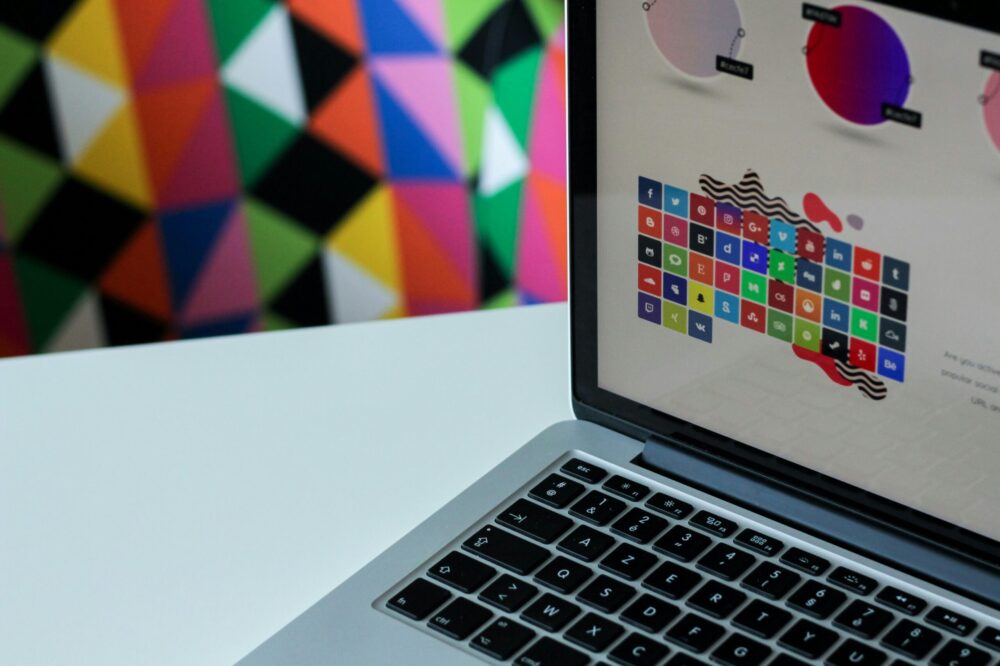
- Social Media Icons: Link to external platforms (e.g., Facebook, Twitter).
- Brand Icons: Represent the brand itself (e.g., logo variations).
Best Practices for Using Icons in Web Design
To maximize the effectiveness of icons, follow these guidelines:
Prioritize Clarity Over Creativity
An icon should be immediately understood. Avoid overly abstract or complex designs that confuse users. Stick to established conventions where possible.
Ensure Scalability and Consistency
Use vector formats (SVG) so icons remain crisp on all screen sizes. Maintain consistent stroke weights, styles, and sizes throughout the site.
Pair Icons with Text Labels
While icons are intuitive, not all users recognize every symbol. Adding a text label ensures clarity, especially for less common icons.
Consider Cultural Differences
Icons can have different meanings across cultures. For example, a thumbs-up may be offensive in some regions. Research your audience to avoid misinterpretation.
Optimize for Accessibility
Provide alt text for icons used as links or buttons. Use ARIA labels when necessary. Ensure sufficient color contrast for visibility.
Use Icons Sparingly
Overloading a page with icons can cause visual clutter. Use them only where they add value and support the user’s goals.
Common Mistakes to Avoid with Icons
Even experienced designers can misuse icons. Avoid these pitfalls:
- Using Unfamiliar Icons: Stick to widely recognized symbols.
- Ignoring Context: An icon that works on a desktop might not be clear on mobile.
- Inconsistent Styling: Mixing different icon styles looks unprofessional.
- Poor Scalability: Raster icons become pixelated on high-resolution screens.
- Neglecting Loading Times: Large icon files can slow down page speed.
The Role of Icons in Responsive and Mobile Design
With mobile devices dominating web traffic, icons play a crucial role in responsive design. They enable compact navigation, such as hamburger menus, and provide touch-friendly targets. Icons must be large enough to tap easily (at least 44×44 pixels) and maintain clarity on small screens.
Icons and SEO: Do They Matter?
While icons themselves are not direct ranking factors, they influence user behavior signals like click-through rates and time on site, which can indirectly affect SEO. Additionally, properly coded icons (with alt text) contribute to accessibility, a factor search engines consider.
Future Trends in Icon Design
As web design evolves, so do icons. Current trends include:
- Animated Icons: Micro-interactions that delight users.
- 3D and Depth: Adding shadows or gradients for realism.
- Custom Illustrations: Unique icons that stand out.
- Dark Mode Adaptations: Icons that work in both light and dark themes.
Conclusion
In summary, what is the role of icons in web design? Icons are indispensable for creating user-friendly, visually appealing websites. They enhance navigation, communicate instantly, and support brand identity. By following best practices—clarity, consistency, accessibility—you can leverage icons to improve UX and achieve your design goals. Whether you are building a new site or redesigning an existing one, thoughtful iconography will elevate your web presence.
Photo by NordWood Themes on Unsplash